KNOW YOUR
NEXT MOVE.
Your map. Your objectives. Your squad.
Keep the next step in sight, from the first screenshot to the last extraction.
↑
THE RAID, IN PERSPECTIVE.
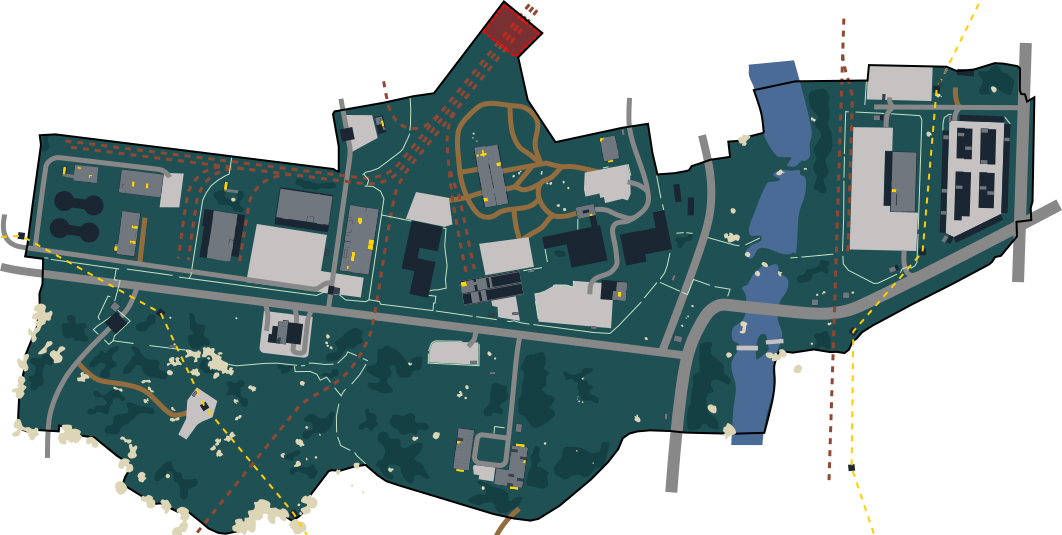
A readable map when you need the whole picture. A quiet minimap when you need to move.
Less searching.
More surviving.
See your position and facing direction from Tarkov’s screenshot coordinates. Choose an extraction, mark a meeting point, or follow a quest objective.
- Circular, transparent minimap with adjustable size and range
- Large raid map on M, with named markers and navigation
- Optional spawn, key, container and hazard layers
- Extraction-list recognition and a synchronized raid timer
A PLAN FOR EVERY OBJECTIVE.
Keep active quests together. Track steps, check required equipment, and put sourced objective locations on your map.
Know what to bring.
Know where to go.
Search quests, open item details and add required supplies to your shopping list. Individual progress stays yours when you join a squad.
Build your next raid plan ↗PREPARE WITH PURPOSE.
ONE QUICK SEARCH
Find items and quests, check requirements, or jump to a map with Ctrl K.
AMMO & ITEM REFERENCE
Compare damage, penetration and velocity. Explore item details, trader values and dated market snapshots.
HIDEOUT, ORGANIZED
Save station levels, collect upgrade requirements, compare craft estimates and track your active production timers.
THE SAME PLAN.
THE SAME MAP.
Create a group. Share its code. See teammates, shared markers and your destination together. Common quests can guide the team while personal checklists stay separate.
Need to listen? Pause screenshot capture with your own keybind. Your map stays open and teammates see that your position is paused.
BRING YOUR SQUAD ↗BEFORE YOU DROP IN.
How does position tracking work?
You choose Tarkov’s screenshot folder and the screenshot key you configured in the game. While Tarkov is focused, the app triggers that key at your chosen interval and reads the coordinates in the resulting filename.
Does the app read game memory?
Position tracking uses screenshot files and their names. The overlay is a separate Windows window. This does not imply approval by Battlestate Games or any anti-cheat provider.
Are item prices live?
The item reference uses a dated Tarkov data snapshot. The app shows the reference date. Craft figures are gross estimates before flea fees, rather than a guaranteed sale price.
Will updates reset my setup?
Settings are saved locally. Updates preserve the current tracking session and group credentials so the app can reconnect after restarting.
What do I need?
A 64-bit Windows 10 or Windows 11 PC, Escape from Tarkov, and WebView2. Borderless/windowed mode allows the desktop overlay to remain visible.
Who makes Raid2Gether?
Raid2Gether is an independent companion by XARON. It is not affiliated with Battlestate Games. Map artwork is credited to Shebuka and the tarkov.dev contributors.
GET YOUR BEARINGS.
GO TOGETHER.
↓ DOWNLOAD RAID2GETHERWindows 10 / 11 · 64-bit